
By Cecil Heath March 31, 2026
Running a business in the United States is a costly endeavor. Every time a customer pays with a credit card, the business usually pays a processing fee. These fees may seem small, but over time, they can cost a business thousands of dollars. That is why many businesses are now choosing zero-fee programs.
A zero-fee program is a payment model in which processing costs are not borne by the business. Instead, the fee is added to card transactions, while cash payments stay the same or receive a discount. This helps businesses protect their profits while still accepting modern payment methods. However, success depends heavily on how the POS system is set up. A poorly set-up system can confuse customers, create compliance risks, and erode trust.
Many businesses make simple POS setup mistakes when launching zero-fee programs. The good news is that these mistakes are avoidable and easy to fix if you understand what to look for. This guide explains the most common POS setup mistakes and gives clear solutions to help businesses run smooth, compliant, and customer-friendly zero-fee programs.
Table of Contents
Understanding How Zero-Fee POS Programs Work
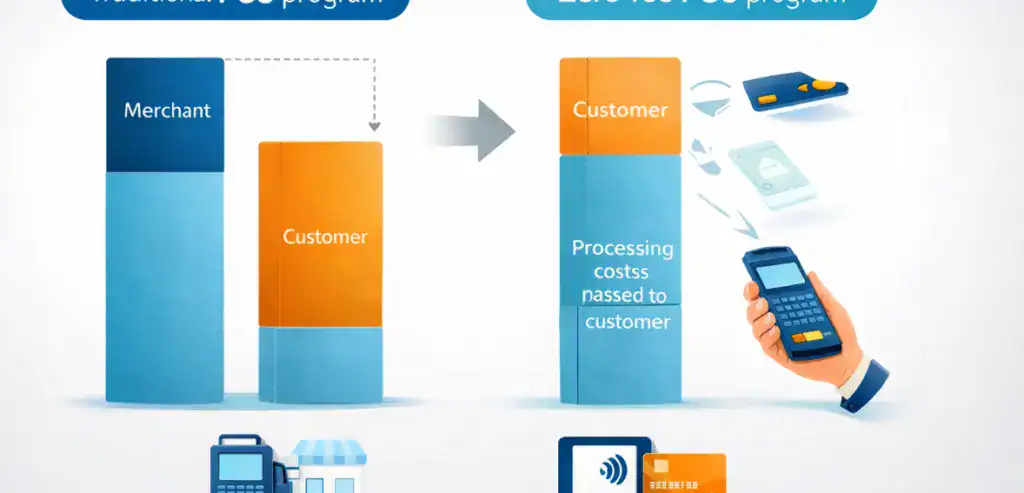
Before discussing mistakes, it is important to understand how zero-fee POS programs actually function.
In a traditional payment setup, the business pays processing fees. In a zero-fee setup, the POS system automatically applies a small service fee when a customer pays with a credit card. This allows the business to keep the full sale amount instead of losing a percentage to processing costs.
A properly configured POS system should:
• Automatically apply fees correctly
• Clearly show the fee on the receipt
• Display proper customer disclosures
• Follow card brand rules
• Maintain pricing transparency
If the POS system is not configured correctly, the entire program can fail. Most problems happen not because the idea is wrong, but because the setup is wrong.
Why Proper POS Setup Matters More Than Most Businesses Realize
Many owners think zero-fee programs are simply about turning on a feature in the terminal. In reality, POS configuration affects compliance, customer experience, accounting accuracy, and employee confidence.
A poor setup can cause the following:
• Customer complaints
• Chargebacks
• Legal risks
• Staff confusion
• Lost trust
• Incorrect reporting
A correct setup creates the opposite effect:
• Smooth checkout experience
• Clear pricing
• Customer confidence
• Better profit protection
• Fewer disputes
• Easier staff training
This is why the POS setup should never be rushed. Taking time to configure it correctly prevents bigger problems later.
Mistake 1: Setting Up the Wrong Pricing Structure
One of the biggest mistakes businesses make is choosing the wrong pricing structure inside the POS system.
Some businesses try to simply add a fee on top of transactions without properly structuring pricing. This can create compliance problems and customer frustration.
Common pricing mistakes include:
• Adding random percentage fees
• Using incorrect fee categories
• Mixing surcharge and cash discount models
• Not updating base pricing
• Showing unclear totals
This often happens because the business does not fully understand the difference between
• Surcharge programs
• Cash discount programs
• Dual pricing models
Each requires a different POS configuration.
How to Fix This Problem
• Choose one pricing model and stick to it.
• Make sure POS settings match the program structure.
• Ensure pricing displays clearly before payment
• Test transactions before going live
• Work with payment experts during setup
A clear and consistent pricing structure prevents confusion and protects compliance.
Mistake 2: Poor Customer Communication Inside the POS Experience
Many businesses focus only on saving money and forget about customer experience. When customers are surprised by a fee at checkout, they often react negatively.
Customers usually do not get upset about small fees. They get upset about surprises.
Poor communication mistakes include the following:
• No fee notice on the screen
• No signage at checkout
• Hidden fee disclosures
• No receipt explanation
• Staff unable to explain fees
Transparency is critical for trust. When customers understand the program, they are far more likely to accept it.
How to Fix This Problem
• Display clear checkout notifications
• Add POS screen messaging
• Use simple signage
• Show fees as line items
• Train staff to explain simply
The goal is simple: no surprises.
When customers know what to expect, problems almost disappear.
Mistake 3: Incorrect Terminal Configuration
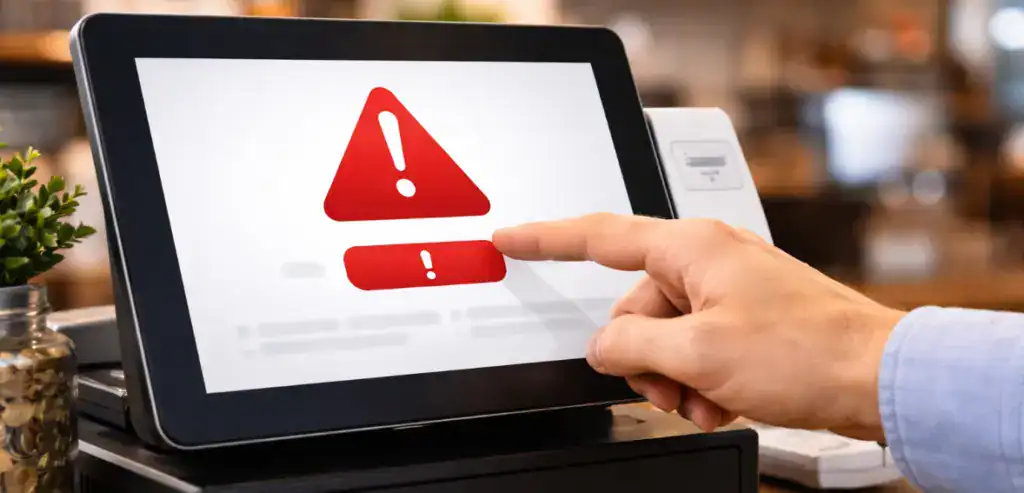
Another common issue is incorrect terminal programming. Even good programs fail if the terminal settings are wrong.
Technical setup mistakes include:
• Fee applied to debit cards incorrectly
• Fee applied to cash payments
• Incorrect tax calculations
• Rounding errors
• Missing receipt disclosures
• Disabled compliance prompts
These errors usually happen when businesses try to configure systems themselves without guidance.
How to Fix This Problem
• Run test transactions daily during launch
• Verify card type detection
• Check receipt formatting
• Confirm tax calculations
• Update firmware
• Use certified configurations
Technical accuracy builds program stability.
Mistake 4: Not Training Staff on the POS Workflow
Even the best POS setup will fail if employees do not understand how it works.
Employees are the face of the program. If they sound unsure, customers lose confidence.
Training mistakes include the following:
• No explanation scripts
• No practice transactions
• No FAQ guidance
• No conflict training
• No explanation of benefits
When employees are confused, customers become confused.
How to Fix This Problem
• Train employees before launch
• Provide simple explanation scripts
• Practice real scenarios
• Teach compliance basics
• Create quick reference guides
Staff should be able to explain the program in one simple sentence:
“We offer cash pricing and card pricing so we can keep prices lower for everyone.”
Confidence removes friction.
Mistake 5: Ignoring Compliance Requirements
Zero-fee programs must follow payment network rules and state regulations. Ignoring compliance can create serious problems.
Compliance mistakes include the following:
• Missing disclosures
• Incorrect fee percentages
• Charging debit fees improperly
• No signage
• No policy documentation
• Wrong receipt language
Compliance is not optional. It is required for safe operation.
How to Fix This Problem
• Follow card brand rules
• Display required notices
• Verify legal limits
• Maintain documentation
• Use compliant POS templates
• Perform annual reviews
Compliance protects long-term success.
Mistake 6: Using Outdated POS Hardware
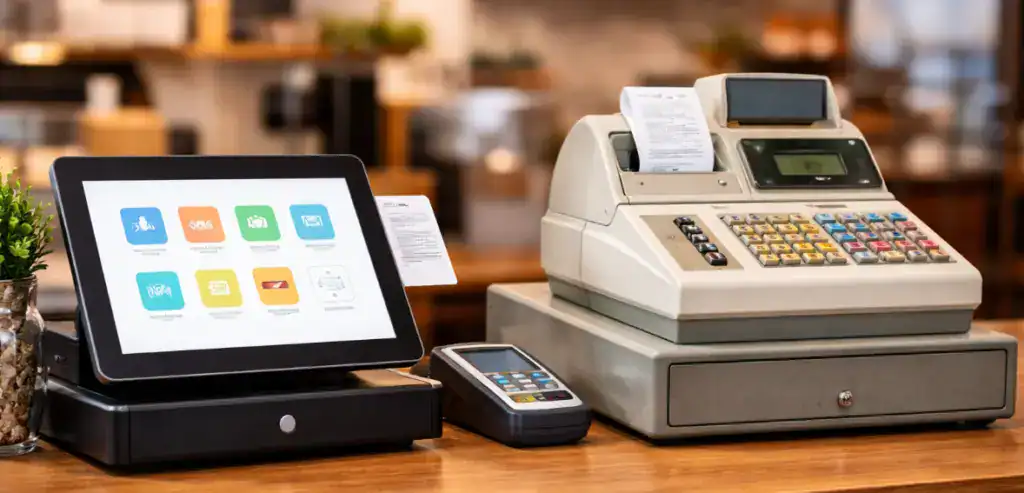
Some businesses try to run modern zero-fee programs on outdated POS hardware. This often causes failures.
Old systems may lack the following:
• Proper software support
• Automatic fee tools
• Security updates
• Customer display features
• Reporting accuracy
Modern programs require modern systems.
How to Fix This Problem
• Upgrade outdated terminals
• Use EMV-ready devices
• Ensure software compatibility
• Use supported POS platforms
• Keep systems updated
Technology should support the program, not limit it.
Mistake 7: Poor Receipt Configuration
Receipts are legal documents in payment processing. Many businesses forget this.
Receipt mistakes include:
• Missing fee disclosure
• Unclear line items
• Incorrect totals
• No pricing explanation
• Missing program language
A confusing receipt creates disputes.
How to Fix This Problem
• Clearly label service fees
• Show base price and adjustment
• Include program explanation
• Verify totals match the screen price
• Test printed and digital receipts
A good receipt answers questions before they are asked.
Mistake 8: Not Testing the POS Before Launch
Some businesses activate zero-fee programs without testing transactions.
This is like opening a restaurant without tasting the food.
Testing mistakes include the following:
• No test purchases
• No refund tests
• No debit tests
• No reporting review
• No employee testing
Testing prevents embarrassment.
How to Fix This Problem
• Run test sales
• Test refunds
• Test debit cards
• Review reports
• Simulate real checkout situations
Testing builds confidence.
Mistake 9: Weak Reporting and Accounting Setup
Zero-fee programs change how transactions appear in reports. Businesses must understand how fees are recorded.
Reporting mistakes include the following:
• Incorrect revenue tracking
• Fee misclassification
• Accounting confusion
• Poor reconciliation
• No reporting training
Financial clarity is essential.
How to Fix This Problem
• Understand reporting categories
• Work with accountants
• Separate fee reporting
• Review monthly statements
• Audit POS reports regularly
Financial visibility ensures program success.
Mistake 10: Launching Without a Customer Education Strategy
Many businesses assume customers will automatically understand the program. They rarely do.
Education mistakes include:
• No website explanation
• No checkout messaging
• No FAQ support
• No email communication
• No signage strategy
Education removes resistance.
How to Fix This Problem
• Explain program benefits
• Focus on price stability
• Highlight transparency
• Provide simple explanations
• Use positive messaging
Customers respond well when they understand the reason behind the change.
Best Practices for a Perfect Zero-Fee POS Setup
Businesses that succeed usually follow these best practices:
Smart Setup Practices
• Use certified POS configurations
• Follow compliance requirements
• Train staff before launch
• Test everything
• Maintain documentation
Customer Experience Practices
• Clear communication
• Transparent pricing
• Simple explanations
• Friendly staff messaging
• No hidden surprises
Operational Practices
• Regular system updates
• Ongoing training
• Monthly reviews
• Compliance checks
• Process improvements
Success comes from preparation.
How a Proper POS Setup Improves Business Stability
When zero-fee programs are set up correctly, businesses often see improvements beyond cost savings.
Benefits often include:
• Better profit margins
• Stable pricing
• Predictable expenses
• Faster checkout
• Fewer disputes
• Better transparency
The POS system becomes a profit protection tool rather than just a payment device.
Signs Your POS Setup Needs Improvement
Business owners should regularly review their POS setup. Warning signs include:
• Customers asking about fees often
• Staff giving different explanations
• Receipt confusion
• Reporting inconsistencies
• Compliance uncertainty
If these signs appear, the system likely needs review.
Fixing small problems early prevents major issues later.
Building a Long-Term Zero-Fee Strategy
Zero-fee programs are not just technical setups. They are long-term business strategies.
Successful businesses treat them like operational improvements rather than quick fixes.
Strong strategies include:
• Ongoing staff training
• Regular POS reviews
• Customer feedback collection
• Compliance monitoring
• Technology updates
Consistency builds trust.
The Future of Zero-Fee Payment Programs
Zero-fee payment programs continue growing because businesses want predictable costs.
Future trends may include:
• Smarter POS automation
• Better customer education tools
• Integrated compliance tools
• Improved reporting dashboards
• Faster payment technology
Businesses that set up their POS correctly today will be better positioned for tomorrow.
Conclusion
Zero-fee programs can be powerful tools for protecting profit margins, but only when implemented correctly. Most failures happen because businesses underestimate the importance of POS setup. Small mistakes like poor communication, incorrect configuration, lack of staff training, and weak compliance planning can create unnecessary problems.
The good news is that these mistakes are completely preventable. With proper planning, correct POS configuration, employee education, and transparent communication, businesses can create smooth zero-fee programs that customers understand and accept. The key is to focus on clarity, accuracy, and preparation rather than rushing implementation.
Businesses that treat POS setup as a strategic process rather than a quick technical task usually see the best results. When the system is built correctly, zero-fee programs become stable, predictable, and beneficial for both the business and its customers. Long-term success comes from doing the simple things correctly and consistently.
FAQs
What is a zero-fee POS program?
A zero-fee POS program is a payment setup where credit card processing fees are passed to customers through a service fee or pricing adjustment instead of being paid by the business.
Are zero-fee programs legal in the United States?
Yes, but they must follow card network rules and state regulations. Proper disclosures and correct POS configuration are required for compliance.
Do customers accept zero-fee programs?
Most customers accept them when pricing is transparent and clearly explained. Problems usually happen only when fees are not communicated properly.
How long does it take to set up a zero-fee POS system?
Most systems can be configured quickly, but proper setup, including training, testing, and compliance review, may take several days to ensure everything works correctly.
What is the biggest mistake businesses make when setting up zero-fee POS systems?
The biggest mistake is poor preparation. Businesses often skip staff training, testing, and communication planning, which leads to avoidable problems.